Introduction: The “Imagination Gap” in Gardening
We have all been there. You stand in the middle of a garden center, mesmerized by a stunning Japanese Maple or a pallet of high-end flagstone. You buy it, haul it home, and spend a sweat-soaked weekend installing it. But when you step back to admire your work, the sinking feeling hits: it doesn’t look right. The tree is too small for the corner, and the stone clashes with your brick facade.
This is what we call the “Imagination Gap.”
For decades, homeowners have relied on mental gymnastics to picture how a renovation will look. We try to visualize how a 5-gallon sapling will frame the porch in ten years, or how a retaining wall will look at sunset. The problem is, human imagination is notoriously bad at calculating scale, lighting, and seasonal changes simultaneously.
In the past, bridging this gap required hiring a landscape architect and waiting weeks for hand-drawn renderings. Today, technology has democratized design. Modern AI Landscape Design tools are accessible to everyone, regardless of expertise, and often require no installation—just open your web browser and start designing.
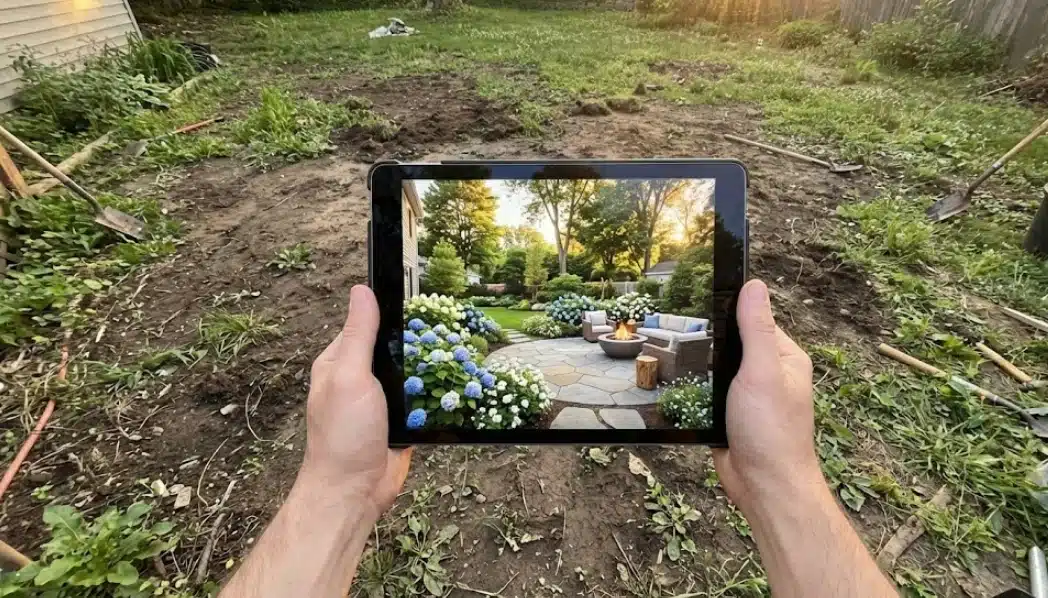
You can now snap a photo of your muddy, overgrown backyard and instantly see it transformed into a drought-tolerant oasis or a cozy English cottage garden. It allows you to toggle between paving styles, test different plant palettes, and solve problems virtually—long before you spend a single dollar on mulch.
Top AI Landscape Design Tools for Homeowners (2026 Edition)
Not all design tools are created equal. Some act like digital stickers, while others use deep learning to reconstruct your space. The best AI landscape design tools of 2026 cater to a wide range of users—including homeowners, professionals, and gardeners—by streamlining the entire design process from concept to visualization. To save you from downloading a dozen apps that don’t work, here is a breakdown of the top contenders based on how you plan to use them.
1. Paintit.ai

Best For: Realistic Visualization & “Flow State” Planning If your main struggle is “I don’t know what style I want,” Paintit.ai is the powerhouse for exploration. Unlike simple filters, it understands the geometry of your yard. You can upload a photo and use text prompts like “modern backyard with a fire pit and zen garden elements” to generate photorealistic options.
-
Why it works: It focuses on the feeling and style of the space. Its intuitive interface makes it easy to experiment with different styles and materials, helping you see how options like wood vs. stone interact with your existing home architecture.
-
The “Garden Guy” Take: Great for the initial “dreaming” phase where you need to decide between a xeriscape or a lush tropical look without committing to a blueprint.
2. Neighborbrite

Best For: Quick Curb Appeal Swaps Neighborbrite focuses heavily on inspiration. It excels at taking a front yard photo and quickly applying different landscape themes (e.g., “Desert,” “Cottage,” “Coastal”).
-
Pros: Extremely fast and user-friendly for beginners, making it especially appealing to DIY enthusiasts looking for quick and easy landscape inspiration.
-
Cons: It can sometimes prioritize aesthetics over structural accuracy. It’s excellent for generating ideas but may require a reality check regarding plant availability in your specific climate zone.
3. iScape
Best For: On-Site Augmented Reality (AR) iScape works differently. Instead of generating a whole new scene, it lets you hold up your phone and overlay specific plants or structures onto the live camera feed.
-
The Use Case: You are standing in your driveway and want to know exactly if a row of boxwoods will hide the neighbor’s trash cans. iScape helps you visualize how new elements will look in your real space before making any changes.
-
Limitation: It relies on a library of 2D/3D assets, so you can’t simply “ask” it to redesign the whole yard; you have to build it piece by piece.
4. SketchUp (with Extensions)

Best For: Engineering Precision This is the heavy artillery. It’s not strictly an AI tool (though AI plugins exist), but it remains the standard for those who need precise measurements for permits. SketchUp also offers advanced 3D rendering features, enabling users to create detailed and realistic landscape presentations for clients or personal projects.
-
Warning: The learning curve is steep. Unless you enjoy watching 40 hours of tutorials, stick to the generative AI tools for visual planning and leave SketchUp to the contractors.
The “Garden Guy” Methodology: Balancing Hardscape and Softscape
Having a powerful tool is useless if you don’t know the principles of design. Modern AI landscape design tools eliminate the need for complex tools, making the process more approachable and user-friendly for homeowners. When using AI to plan your yard, you must think in two distinct layers: Hardscape and Softscape.
The Skeleton: Hardscape
Hardscape refers to the non-living elements: patios, walkways, retaining walls, pergolas, and decks. In your AI renders, pay attention to “flow.”
-
Traffic Patterns: Does the AI place a fire pit right in the middle of the path to the back gate? Use the tool to move it.
-
Material Heat: AI might make a black slate patio look sleek, but in a Texas or Arizona summer, that surface will become a frying pan. Use the visualization to test lighter materials like travertine or crushed granite.
The Flesh: Softscape
This is the living part-trees, shrubs, flowers, and turf. This is where AI often needs your horticultural knowledge (or a quick Google search).
-
Layering: Good design relies on height tiers. Ensure your generated image shows ground cover in the front, perennials in the middle, and shrubs/trees in the back. If the AI generates a flat wall of green, rewrite your prompt to include terms like “layered planting” or “mixed border.”
-
Texture Contrast: Use the tool to experiment with leaf textures. Contrast the spiky architectural look of Agave or Yucca against the soft, billowing foliage of Ornamental Grasses.
Outdoor Spaces and Design: Beyond Plants
Patios, Decks, and Entertaining Areas
When it comes to creating a truly inviting outdoor space, patios, decks, and entertaining areas are the backbone of any successful landscape design. These features do more than just provide a place to sit—they transform your yard into a destination for gatherings, relaxation, and everyday living. With a free landscape design app, homeowners can easily visualize how a new patio or deck will fit into their existing landscape, experimenting with different shapes, materials, and layouts in just a few clicks.
AI landscape design tools make it simple to try out multiple landscape styles, from sleek modern patios to rustic wooden decks, ensuring your design matches your preferred style and the unique character of your home. Professional designers can leverage these powerful tools to quickly generate and refine concepts for clients, saving time and delivering high-quality results. Whether you’re dreaming of a cozy fire pit area, a spacious dining zone, or a multi-level deck, today’s user-friendly apps and AI-powered platforms make it easy to create an outdoor space that’s both beautiful and functional—no design experience needed.
Lighting, Pathways, and Water Features
No outdoor space is complete without the finishing touches that bring it to life after dark and guide you through the landscape. Thoughtful lighting can highlight your favorite design elements, create ambiance, and make your yard safer for evening strolls. Pathways, whether winding through a garden or leading to a backyard retreat, add structure and flow, connecting different areas and inviting exploration. Water features—be it a tranquil pond, a bubbling fountain, or a sleek swimming pool—introduce movement and serenity, turning your yard into a true oasis.
With an AI landscape design tool, homeowners and designers can upload a photo of their yard and, with just a few clicks, experiment with different styles, materials, and placements for these features. Want to see how string lights would look draped over your patio, or how a stone path might wind through your garden? AI landscape design apps let you generate realistic ideas and visualize the results instantly, helping you create a personalized outdoor space that reflects your vision. Whether you’re looking for inspiration or ready to finalize your dream garden, these tools make it easy to explore new possibilities and bring your landscaping ideas to life.
3 Ways Virtual Planning Saves Real Money (ROI)
Many homeowners view design software as a toy. In reality, it is a risk management tool. These tools are also invaluable for professionals, helping them optimize their workflow and deliver more precise, customized results for clients. Here is how spending an evening on a laptop can save thousands in the long run.
1. The “Maturity Check”
A common novice mistake is planting for today, not for five years from now. You buy three cute Juniper bushes and plant them two feet apart. In four years, they are battling for survival, and you have to rip two of them out.
-
How AI helps: You can prompt AI tools to show a garden at “full maturity.” Seeing your yard as a jungle helps you understand why you need to space those 1-gallon pots so far apart today.
2. Shadow Mapping and Sun Exposure
Plants don’t care about your design; they care about light. You might want hydrangeas along the south wall because they look pretty in the render, but they will scorch and die in real life.
-
The Fix: While not all generative tools simulate physics perfectly, you can use them to test shade structures. Ask the AI to “add a pergola with wisteria for shade” to see if building a structure makes the area viable for shade-loving plants.
3. Material Swapping (The Budget Saver)
Hardscaping is the most expensive part of landscaping.
-
Scenario: You love the look of bluestone pavers.
-
The Reality: Bluestone is expensive and labor-intensive.
-
The AI Solution: Generate the same design with “pea gravel with brick border” or “stamped concrete.” Often, you will find that the cheaper material actually fits the rustic vibe of your home better than the expensive option, saving you $15-$20 per square foot.
Step-by-Step: From Muddy Photo to Master Plan
Ready to try it? Here is a workflow designed to minimize frustration and maximize results. This approach is especially useful for designing challenging spaces like a small patio, where every detail matters.
Step 1: The “Audit” Photo
Garbage in, garbage out. If you upload a blurry, dark photo, the AI will hallucinate.
-
Clear the Clutter: Move the kids’ toys, the hose reel, and the trash bags.
-
Lighting: Take the photo on an overcast day or during “golden hour” (just after sunrise or before sunset). Harsh midday sun creates black shadows that confuse the AI.
-
Angle: Stand straight. Don’t take the photo from a second-story window unless you are planning the roof. Eye-level photos generate the most realistic perspective for walking paths.
Step 2: Prompt Engineering for Gardens
Talking to AI is a skill. “Make it look nice” is a bad prompt. Be specific about Style, Function, and Elements.
-
Bad Prompt:“Fix my backyard.”
-
Good Prompt:“A cozy English cottage garden backyard with a brick patio, climbing roses on a wooden trellis, lavender borders, and a small water feature. Soft morning lighting.”
-
Pro Tip: Include negative prompts (if the tool allows) or exclusions. For example, if you hate concrete, specify “natural stone pathways, no concrete.”
Step 3: Iteration and Refinement
Do not stop at the first image. The first generation is usually a “hallucination” of possibilities.
-
Refine: If the layout is perfect but the plants are wrong, try to keep the composition and change the prompt to “replace flowers with drought-tolerant succulents.”
-
Mix and Match: You might love the patio from Image A and the privacy hedge from Image B. Save both. You are building a mood board, not a construction document.
Deep Dive: Solving Specific Problems with AI
Curb Appeal: The First Impression
Real estate data consistently shows that landscaping is one of the few renovations with over 100% ROI at resale. The “Curb Appeal” is the handshake of your home.
-
The Challenge: Most front yards are just a strip of grass and a foundation hedge that looks like a green mustache.
-
The AI Fix: Upload a photo of your facade. Experiment with widening the walkway (a common trick to make a house look grander) or adding a portico. Use AI to test “colorful pollinator garden in front yard instead of lawn” to see if you can ditch the mower entirely.
Privacy Screening: Hiding the Neighbors
We all love our neighbors, but we don’t always want to see them while we drink our morning coffee.
-
Visualizing Heights: It’s hard to guess if a 6-foot fence is enough or if you need 12-foot Arborvitae trees.
-
The AI Test: Generate images with “tall privacy hedge” versus “wooden privacy fence.” You might find that a “living wall” of Green Giant Arborvitae makes the yard feel like a park, whereas a fence makes it feel like a box.
Xeriscaping: The Future is Water-Wise
With changing climates and rising water bills, Xeriscaping (low-water gardening) is no longer just for Arizona. It is becoming a standard.
-
The Stigma: Many people think “low water” means “rocks and cactus.”
-
The Reality Check: Use AI to visualize “lush Mediterranean garden” or “native wildflower meadow.” You will be shocked to see that water-wise gardens can be incredibly colorful and green. Seeing this visualized helps convince skeptical HOAs or partners that ditching the thirsty turf is a beautiful upgrade.
Common Pitfalls & How to Avoid Them
AI is a tool, not a certified Landscape Architect. It can dream up things that physics (and botany) won’t allow.
1. The “Franken-Plant”
AI often invents flowers that don’t exist-blue roses, or a tree that has leaves of an Oak but flowers of a Magnolia.
-
Solution: Treat the AI plants as “placeholders” for color and texture. If the AI puts a purple bush in the corner, go to the nursery and ask, “What grows in my zone that is purple, 4 feet tall, and likes shade?” (Hint: It might be a Loropetalum).
2. Ignoring USDA Hardiness Zones
The AI doesn’t know if you live in Minnesota (Zone 4) or Florida (Zone 10). It might put a palm tree next to your snow shovel.
-
Solution: Always cross-reference your design with your local climate reality. Use the AI for the look, but use local extension service lists for the actual species.
3. Scale and Access
The AI might draw a beautiful stone patio that looks spacious, but in reality, it would only be 6 feet wide.
-
Solution: Before you order stone, go outside with a garden hose or a can of spray paint. Draw the outline of the patio on the grass. Put your actual patio furniture inside the lines. Can you pull out a chair without hitting the edge? Physical verification is mandatory.
Conclusion: Your Garden, Your Rhythm
Gardening is arguably the slowest of the performing arts. It takes seasons, sometimes years, to see the final result. That delayed gratification is what makes it beautiful, but it is also what makes it risky.
By using AI Landscape Design tools, you aren’t “cheating.” You are giving yourself a roadmap. You are moving from “I hope this looks good” to “I know this works.” Whether you are tearing out a dated lawn or just trying to spruce up a flower bed, start with a digital twin.
Snap a photo, dream a little, and let the algorithms handle the heavy lifting of visualization. That way, when you finally pick up the shovel, you’ll be digging with confidence.
Yulii Cherevko, an architect and tech entrepreneur passionate about the intersection of artificial intelligence and landscape design. He explores how digital tools can help homeowners bridge the gap between creative imagination and construction reality.